 From Machsizer
Define the product
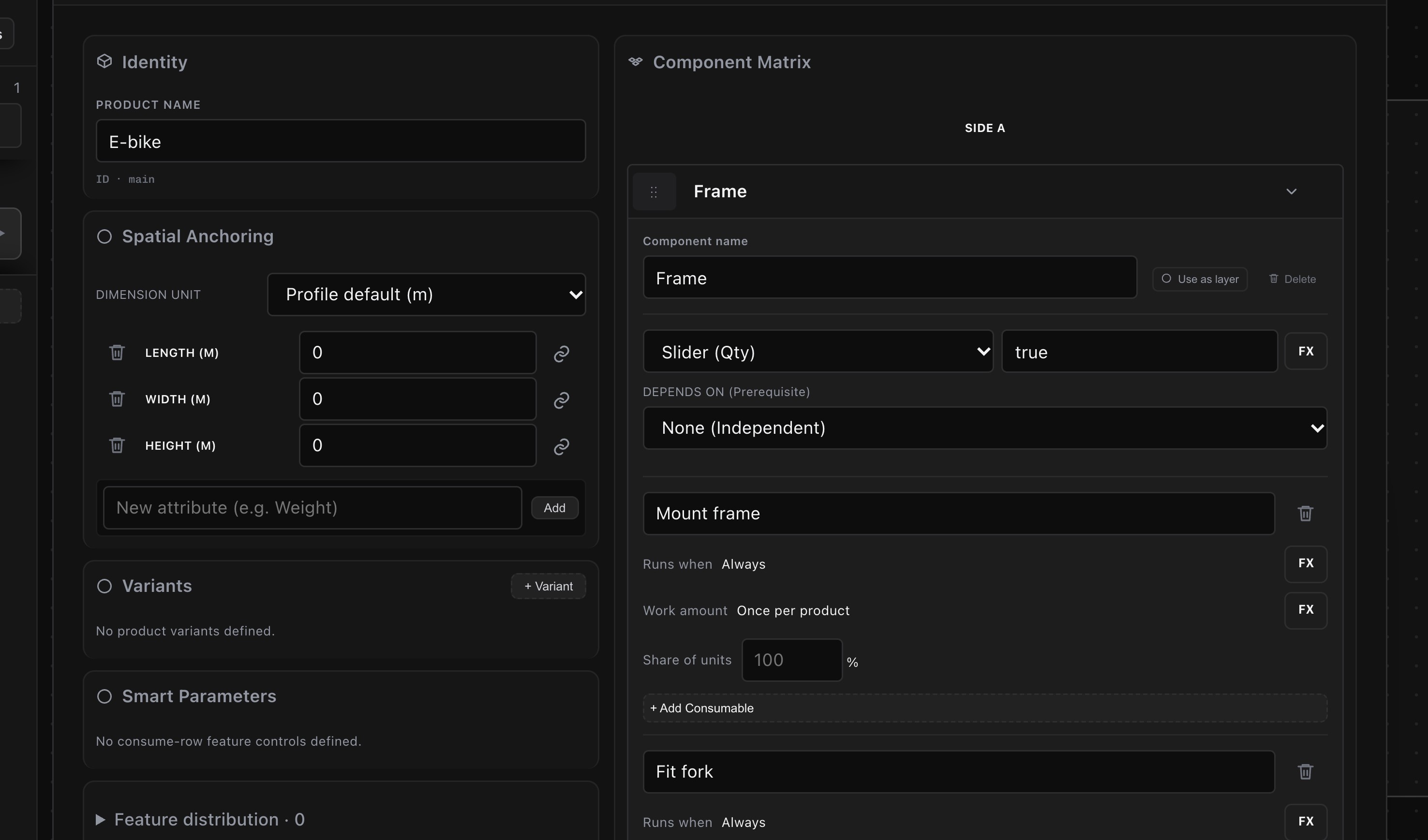
Describe the product and its work steps. Set the output you need.
INPUT / PRODUCT + TARGETSet a takt time or production target. Machsizer balances the work, lays out the floor and simulates the result, so you can compare the stations, space and staffing each target needs.
14-day trial · Every request is reviewed by a person
Describe what you make and how much you need. Machsizer turns that into a line you can inspect, change and run.
From MachsizerDescribe the product and its work steps. Set the output you need.
INPUT / PRODUCT + TARGET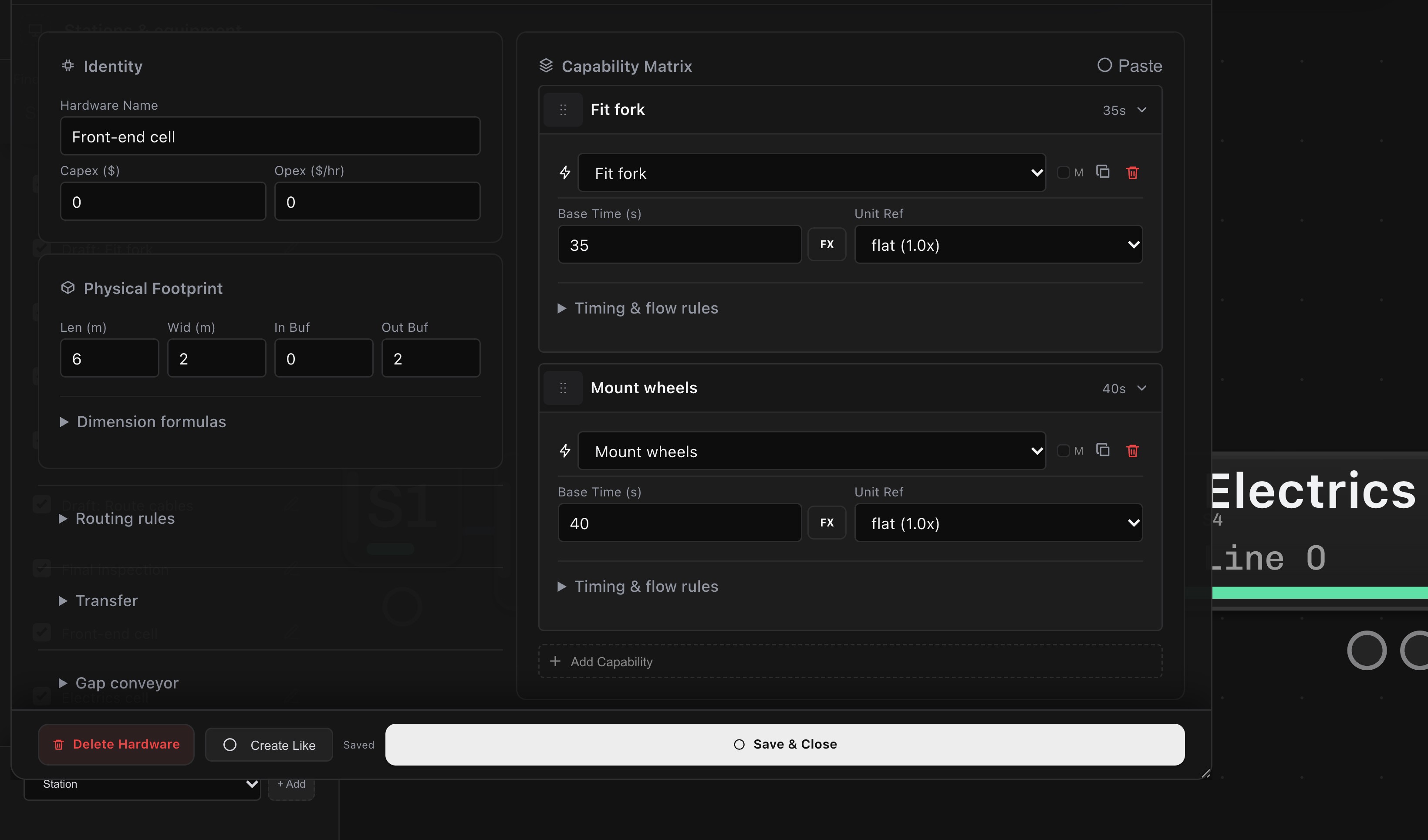 From Machsizer
Balance the work across stations to meet the production target.
OUTPUT / STATION CAPACITY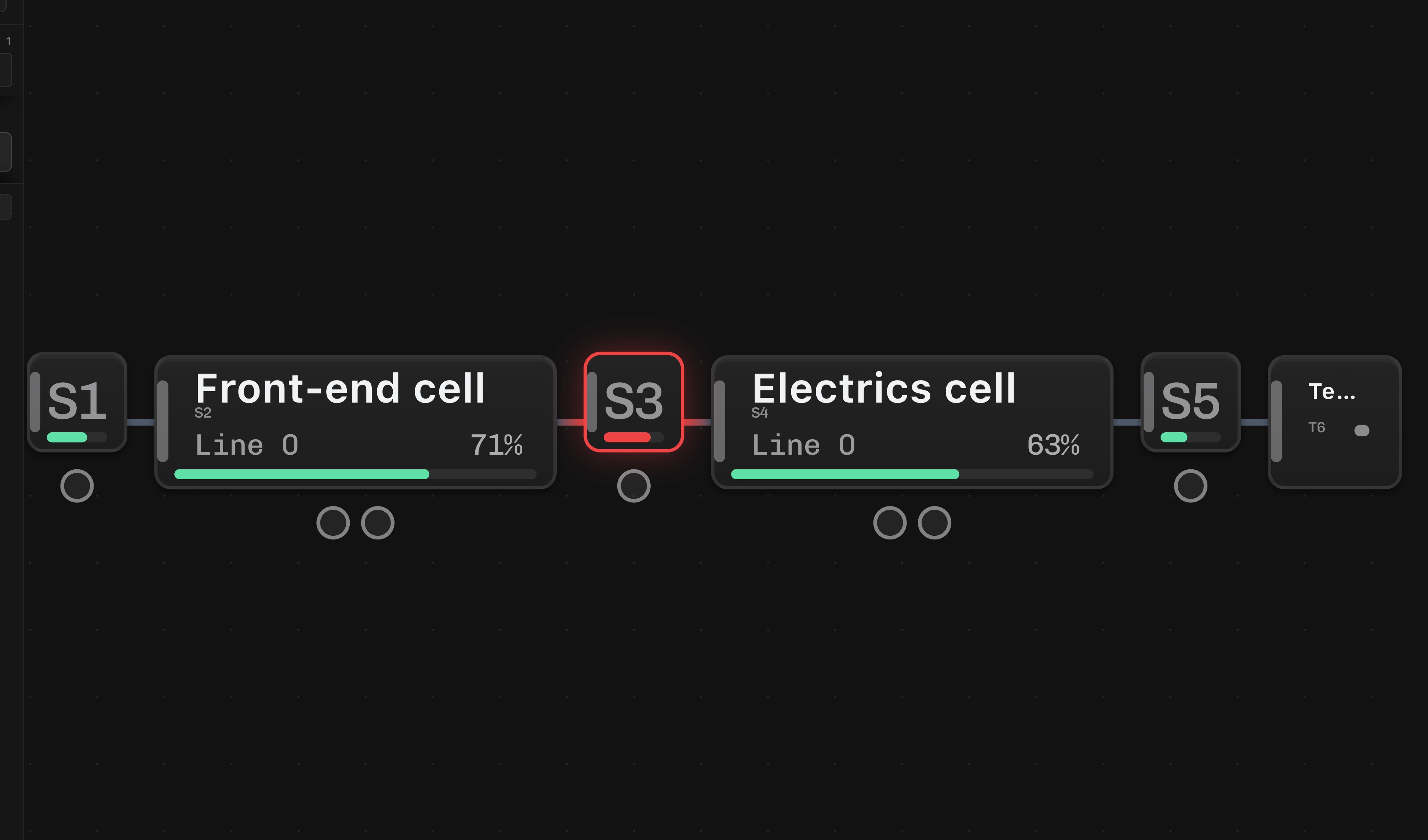 From Machsizer
Place stations, buffers and routes. See how much space the line takes.
OUTPUT / FLOOR PLAN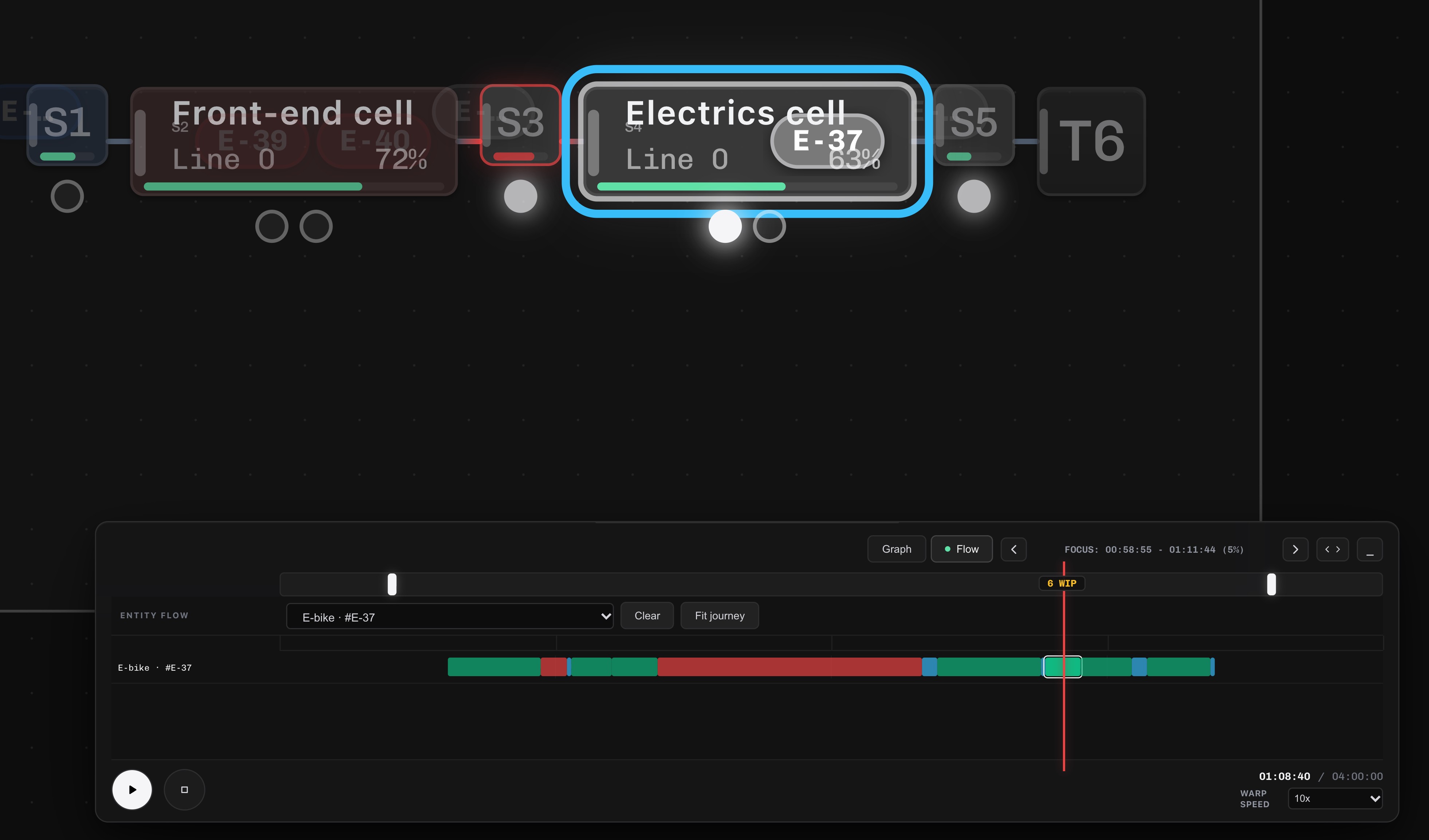 From Machsizer
Follow the flow. Find what limits output, then change the design and run it again.
OUTPUT / SIMULATED FLOWChange the target, the product mix or a machine. Machsizer rebuilds the balance, layout and simulation for that change.
Buffers placed and sized for you, transport times from the real layout, and the floor area each option takes. Drag a station and the routes and times follow.
Improve finds the designs nothing beats on output, cost, floor area and staffing, and recommends one. You see what each choice gives up.
IN THE APP / E-BIKE FRAME LINE
24 designs simulated.
11 on the frontier.
| Design | Output | Area | Capex | Operators |
|---|---|---|---|---|
| Current: three manual benches | 62.5 / h | 40 m² | 10 | 4.7 |
| Recommended: compact cell for frame prepRecommended | 64.1 / h | 32 m² | 15 | 4.2 |
| Two lines | 122.7 / h | 80 m² | 20 | 9.4 |
| Smallest area, extra frame capacity | 68.7 / h | 16 m² | 34 | 3.8 |
Target 60 / h. Capex is the machines' purchase cost in the project's own units; the current design is 10. Every run also names the stage that limits the line and why: a machine short on capacity, or stations waiting on each other.
Your equipment in a library once. In the meeting: their options, their mix, their target, and a sized, simulated line in seconds.
See the cabinet example → Flow and simulation engineersSteps and times are enough to start. Add buffers, transport, operators and breakdowns when you need them, and see what floor space buys.
See what it models →VALIDATION
Checked against the textbooks. Queueing theory, Factory Physics, all 13 published line-balancing optima, Intel Mini-Fab and the SMT2020 fab, each with its answer computed independently.
See validation